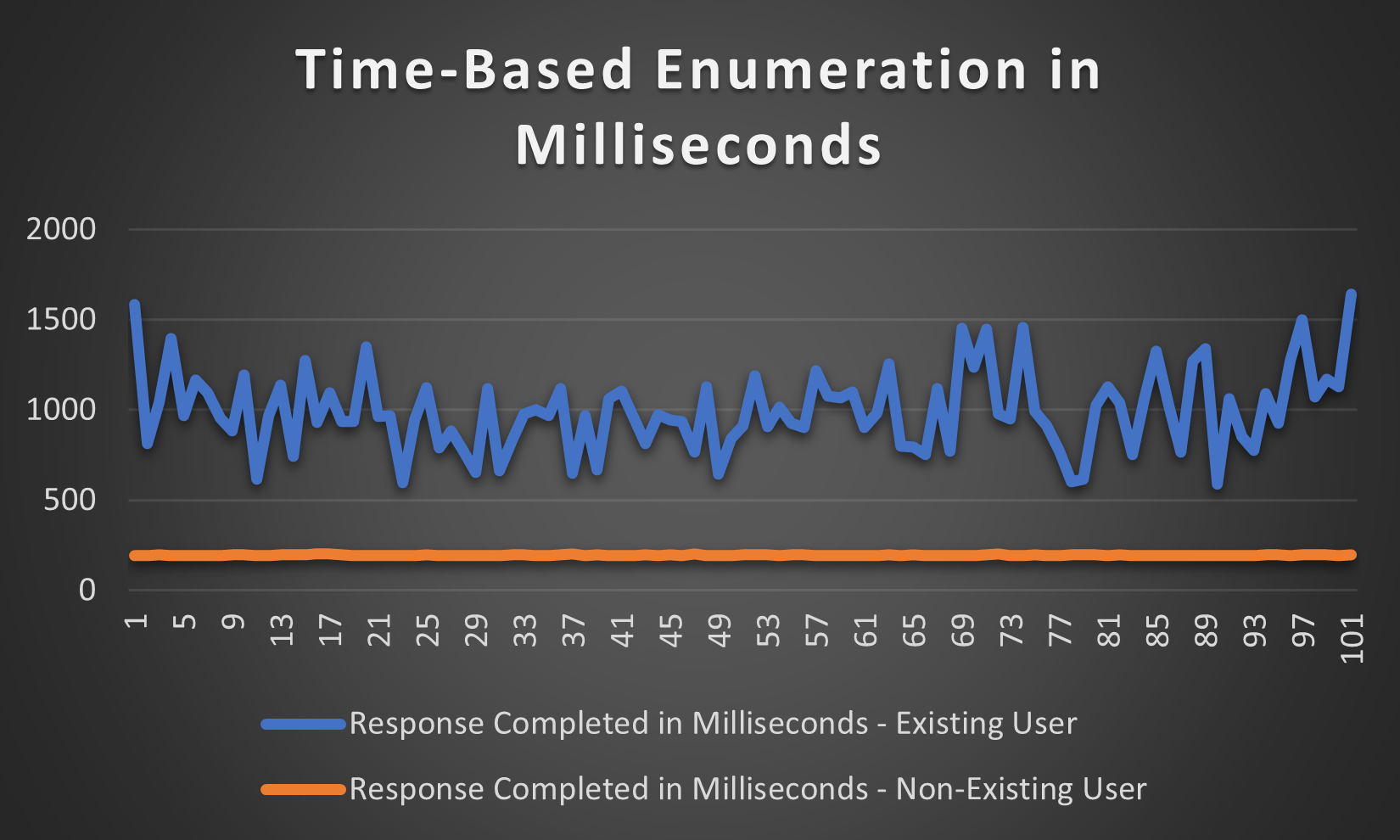
Time-Based Enumeration Graph
-
Enumerate an
existingand anon-existinguser within BurpsIntruder -
Within the
enumeration window, navigate to theColumnstab, and checkResponse completed
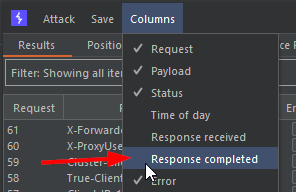
(The image tests header enumeration, don't mind that)
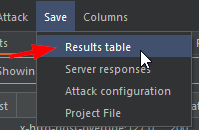
- Once both enumerations are completed, press
Savefollowed byResults table
-
Un-tick all boxes except for
Response completedand save the results within atxtfile -
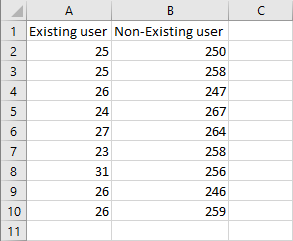
Copy-paste the results into a new
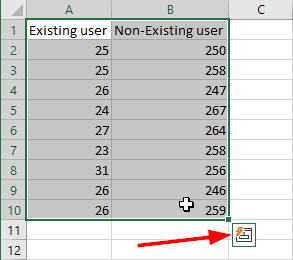
Excelsheet and make sure to know the differences between anexistingandnon-existinguser like the following:
- Highlight
bothof the results and press the box in the bottom right corner when presented with it
-
Find the
Line chartand pick this chart -
You may change the
Themeand the "Chart Title" (personally love the dark theme) -
Once done,
right-clickthe chart andSave as Picture
This chart could look something like this: