Web Application Firewall (WAF) Bypass
It is common that a WordPress appliction is hosted within WPEngine.
This hosting provider has a feature for their customers to use if they want a reverse proxy (Like proxying Cloudflare).
However, the administrators does tend to misconfigure this feture from time to time and this is how to test and exploit them.
Follow the mindmap below
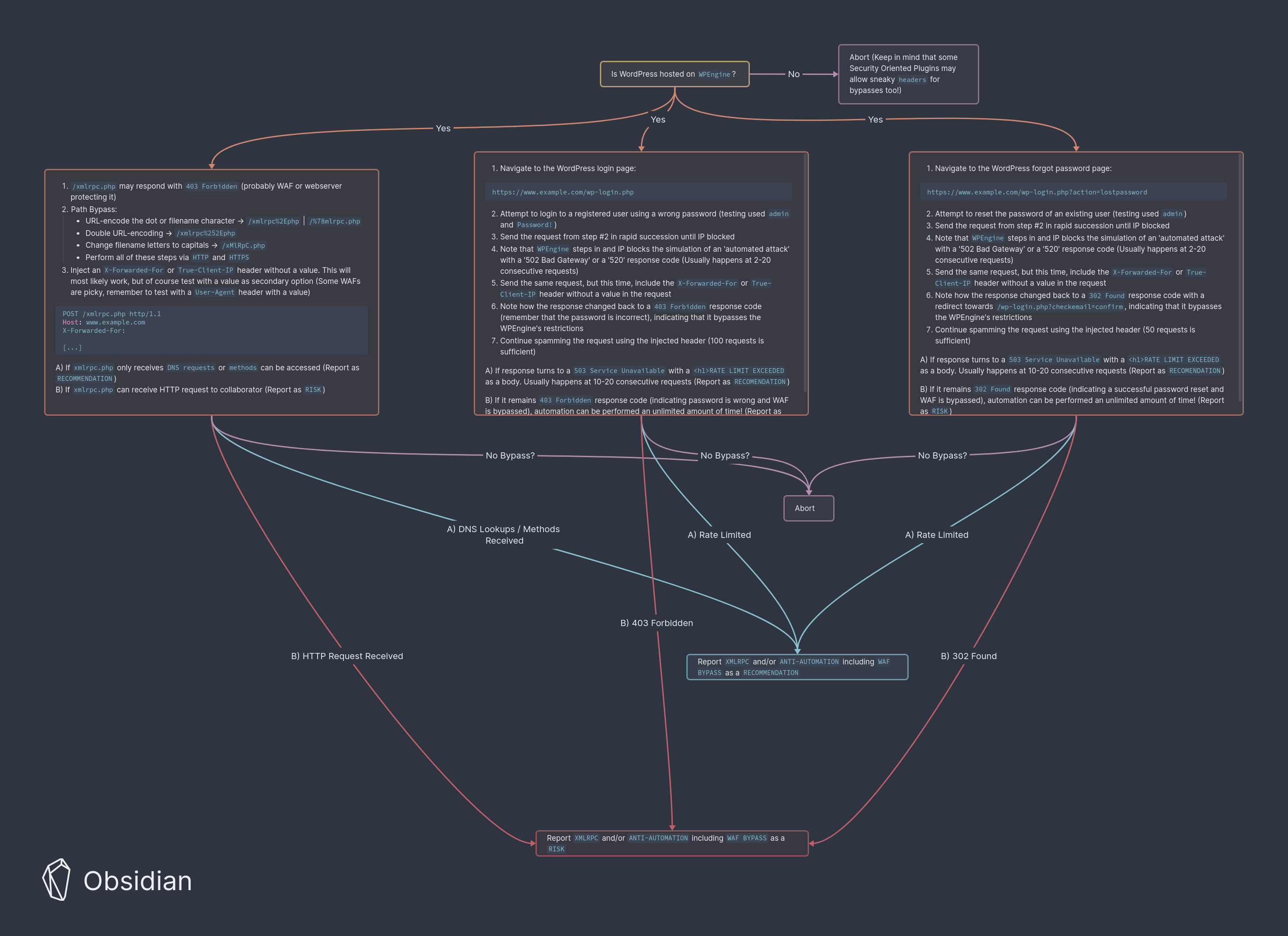
XMLRPC
Sometimes WPEngine blocks access to /xmlrpc.php and returns a 403 Forbidden.
Keep in mind that some security oriented Plugins can also protect this endpoint.
To bypass this, simply add either an X-Forwarded-For or True-Client-IP header without a value.
This endpoint does not have a "rate limit exeeded" which the other two might have.
See xmlrpc page for more info
GET /xmlrpc.php HTTP/1.1
Host: www.example.com
X-Forwarded-For:
Login - Anti-Automation
Spamming this endpoint might IP block you after a few tries.
A 403 Forbidden response when the password is wrong and a 503 Service Unavailable when IP blocked.
Cloudflare sometimes sends a 520 response but it is usually a on time thing.
Bypassing the IP block may be done with X-Forwrded-For or True-Client-IP header with no value.
Forgot Password - Anti-Automtion
Spamming this endpoint might IP block you after a few tries.
A 302 Found or a 200 OK response as a successful password reset.
WPEngines 503 Service Unavailable or Cloudflares 520 response when IP blocked.
Bypassing the IP block may be done with X-Forwrded-For or True-Client-IP header with no value.